
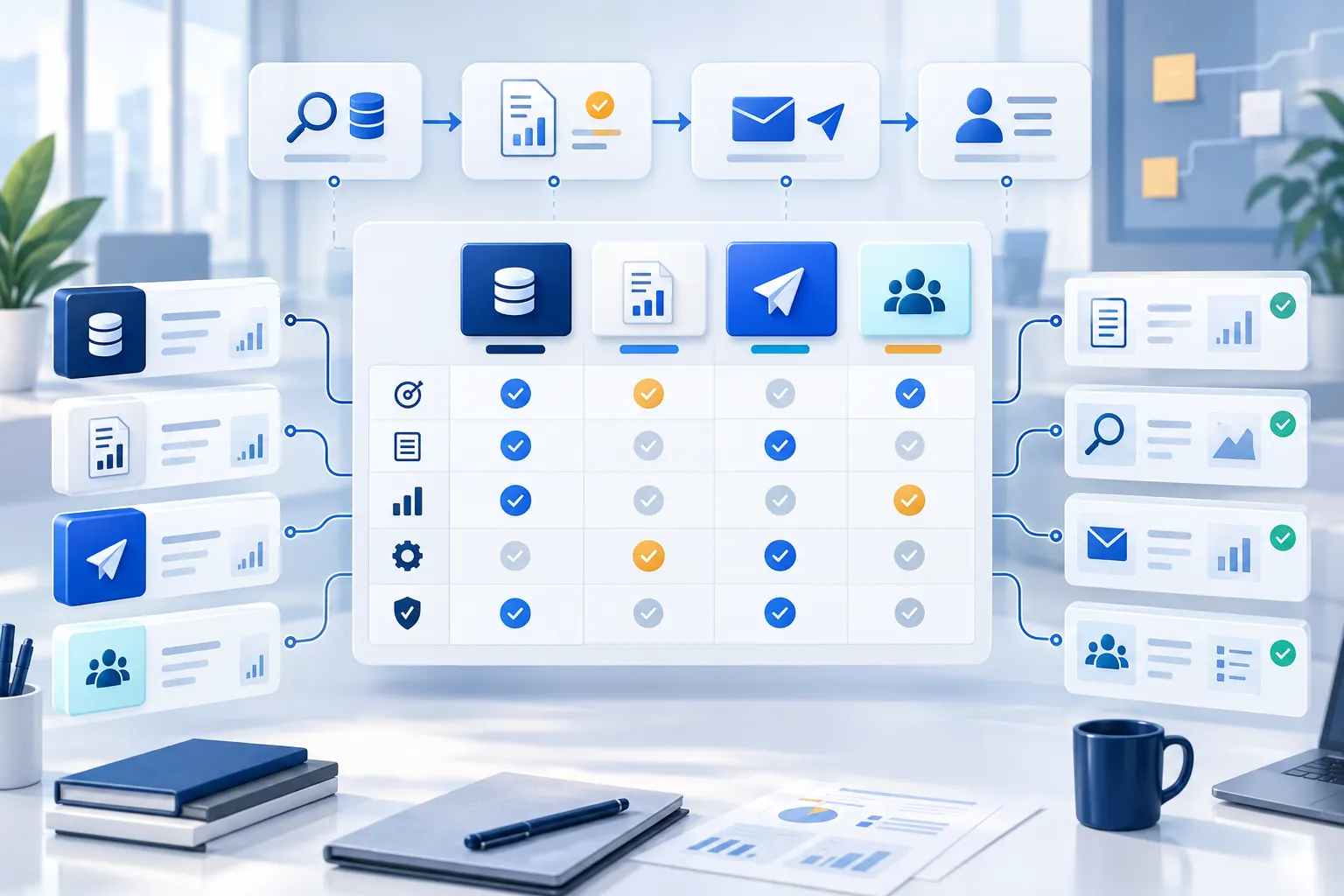
The best B2B prospecting tools help a sales team find the right decision maker, verify prospect data, research buying signals and move qualified conversations into the CRM. The right choice depends on the part of your workflow that is failing. A large contact database will not repair weak account research, and a flexible enrichment system will not become your CRM.
This guide compares Apollo, Clay, Cognism, Pipedrive and Rhycon by documented workflow fit. It covers established platforms and AI tools for B2B prospecting, including contact databases, data enrichment, sales engagement platforms and end-to-end workflow software. You also get a repeatable evaluation worksheet and a small pilot to run before signing a longer contract.
Disclosure and evidence date: Rhycon publishes this guide. Product scope, public pricing and restrictions were reviewed on 12 September 2026 using official vendor pages. Rhycon pricing and plan scope were rechecked on 21 October 2026. We did not test paid accounts or make comparative performance claims. Features, prices and limits can change, so verify the current offer and checkout terms before buying.
B2B prospecting tools at a glance
Tool | Best fit | Main job | Pricing approach |
|---|---|---|---|
Apollo | Teams that want database search and outreach together | Find contacts, build lead lists and run email sequences | Free Starter plan; paid plans and usage credits |
Clay | RevOps teams building custom prospecting workflows | Combine data providers, enrichment, research and automation | Free plan; Launch from US$167/month; Growth from US$446/month in the current selector |
Cognism | Teams prioritising verified contact data, especially in EMEA | Contact discovery, mobile data and CRM enrichment | Quote-based Standard and Pro packages |
Pipedrive | CRM-first teams that need lighter prospecting | Manage pipeline and add prospect data through LeadBooster | From €14 per seat/month billed annually; LeadBooster from €32.50/company/month |
Rhycon | Teams wanting one coordinated path from research to meetings | Targeting, research, personalised outreach, replies and handoff | $599/month for Standard; 3,600 contacts/month, 2 domains and 6 mailboxes |
There is no universal winner. If you mainly need verified contact data, test the databases on your target market. If you already have data but spend too much time manually researching accounts, test research and enrichment workflows. If replies disappear between an engagement platform and your CRM, focus on ownership, sync and handoff.
Which B2B prospecting tool should you choose?
Shortlist Apollo when you need prospect data and engagement together. Evaluate Clay when someone on your team will build custom research and enrichment workflows. Test Cognism when contact coverage and mobile data are the priority. Choose Pipedrive when CRM ownership is the missing foundation. Consider Rhycon when the work spans prospect finding, research, personalised messages, replies and meeting booking. These are different jobs, so compare the complete workflow rather than database size alone.
Choose the category before the vendor
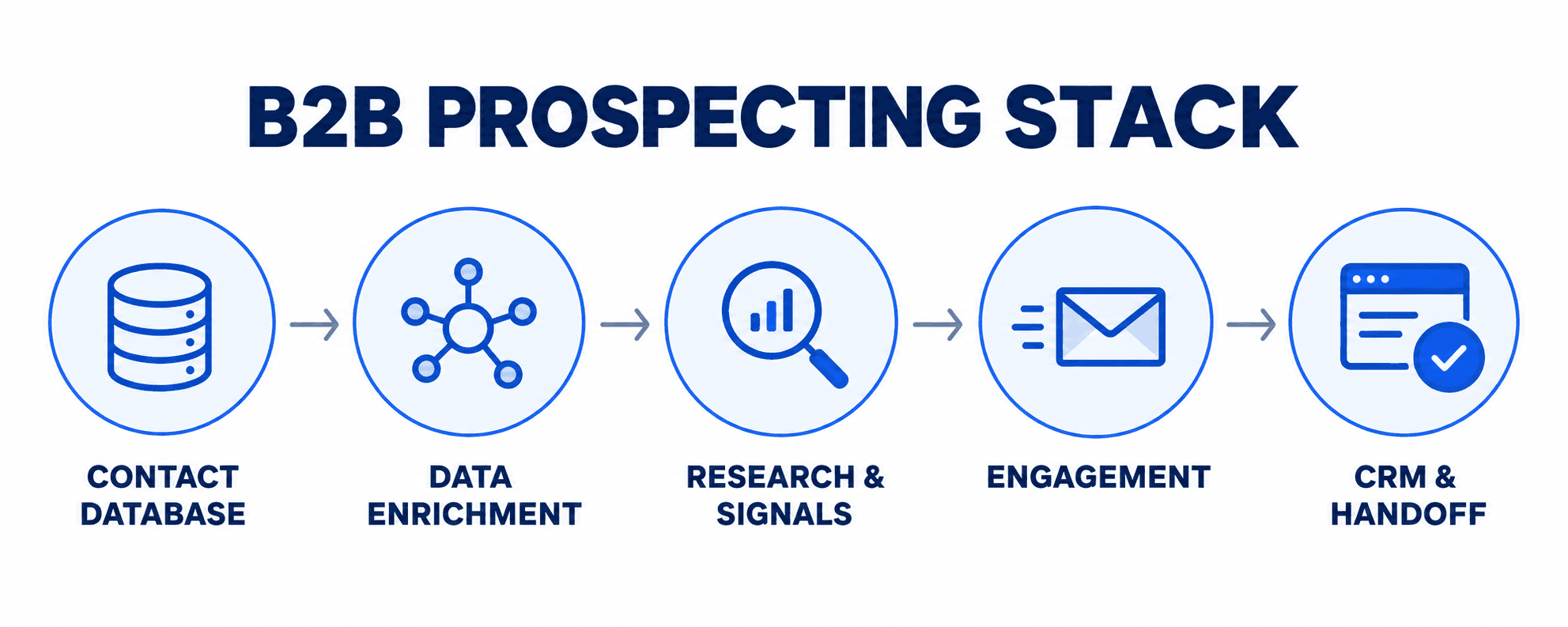
Most B2B prospecting software falls into one or more of five categories:
Contact databases help teams find companies and people by industry, location, company size, job title and other filters.
Data enrichment tools add or verify fields such as business email, mobile number, company details and technology use.
Research and signal tools surface funding, hiring, website visitor activity, job changes and other buying signals that may justify personalised outreach.
Sales engagement platforms organise email sequences, social selling tasks, calling and reply handling.
CRM and handoff systems preserve ownership, activity, qualification context and the next action across the sales cycle.
A team may need one platform or a connected stack. Define the target market and prospecting workflow first, then decide which category owns each step. This prevents duplicate subscriptions and reduces the chance that two systems overwrite the same record.
Diagnose the missing step before comparing tools
Start with one sentence that names the operational gap. For example:
We cannot build a reliable list of contacts in our target roles.
We have contacts, but we cannot verify or enrich the fields required for routing.
Reps cannot turn account evidence into relevant messages consistently.
Outreach runs across separate tools without clear stop, suppression or ownership rules.
Replies and agreed next steps do not reach the CRM or account owner reliably.
We have activity data but cannot connect it to attended meetings and accepted opportunities.
That sentence becomes the first evaluation criterion. It also prevents a long feature list from winning simply because a vendor covers more categories.
Map the current stack before adding another subscription:
Workflow step | Current system | Owner | What breaks | Required result |
|---|---|---|---|---|
Target account definition | ||||
People and company discovery | ||||
Contact verification and enrichment | ||||
Account and person research | ||||
Signal review | ||||
Message and sequence preparation | ||||
Sending and suppression | ||||
Reply handling and qualification | ||||
Meeting and AE handoff | ||||
CRM record and measurement |
If a working system already owns a step, write down why it would be replaced. Integration work, data migration, user training and overlapping contracts belong in the decision, even when the new licence looks inexpensive.
Use the same criteria for every candidate
Evaluate comparable jobs with the same questions.
Data discovery and provenance
Can the system find the companies, roles and territories you target? Does it explain where key information came from, when it was checked and what remains uncertain? Measure coverage on an authorised sample from your real market rather than accepting a database-size claim as proof of relevance.
Enrichment and verification
List the fields your workflow actually needs: business email, phone, current role, company size, location, technology, ownership or another routing field. Record whether a returned value is verified, inferred, vendor-supplied or copied from your CRM. Test stale records and job changes as well as easy matches.
Research and signal quality
Check whether the tool returns evidence a rep can inspect. A useful signal has a source, date, observed event and a clear relationship to your offer. Our B2B buying-signals guide explains why activity alone should not be treated as intent.
Outreach controls
For any tool that sends or prepares outreach, inspect mailbox connection, schedules, sequence limits, approval modes, suppression, opt-out handling, bounce controls, duplicate prevention and reply stop rules. A message generator is only one part of the operating system.
CRM and handoff
Decide which system owns contacts, activity and pipeline. Verify object mapping, field control, deduplication, sync direction and failure handling. Test whether the receiving owner can see the source evidence and buyer context. The SDR-to-AE handoff checklist provides the fields to inspect.
Full cost
Model the bill at your expected volume. Include seats, billing term, credits, actions, record reveals, exports, add-ons, data providers, API access, sending infrastructure, implementation and support. Record what expires, rolls over or requires a higher plan.
Dated comparison of five B2B prospecting tools
The table below describes the strongest documented role for each product as of 12 September 2026. It is a shortlist for evaluation, not a ranking.
Tool | Strongest documented role | Discovery, data and research | Outreach and CRM workflow | Public pricing reviewed 12 Sep 2026 | Main evaluation question |
|---|---|---|---|---|---|
Apollo | Integrated prospect database and sales engagement | People/company filters, enrichment, AI research, scoring and signals | Lists, multichannel sequences, pipeline features and CRM integrations | Free Starter plan. Paid plans, exports and net-new verified contacts use plan-dependent credits. | Does its data cover your exact market, and how many credits do your saves, reveals and exports consume? |
Clay | Data enrichment and GTM workflow orchestration | Multi-provider waterfalls, Claygent research, signals and audiences | Clay Sequencer plus integrations; CRM sync, HTTP API and webhooks require the documented Growth tier | Free; Launch from US$167/month and Growth from US$446/month in the current plan selector. Actions and Data Credits are separate meters. | Can your team build and govern the workflows, and what is the combined Action, Data Credit and external-provider cost? |
Cognism | Sales intelligence and CRM enrichment, particularly when contact and mobile-data quality matter | Company/contact data, technographics, AI search, research, hiring/funding/job-change signals; Pro adds intent and premium mobile features | CRM and sales-engagement integrations; enrichment and Data-as-a-Service options | Quote-based Standard and Pro packages with five seats included; one credit per revealed contact | Does an authorised sample demonstrate the required coverage and accuracy in your regions, and what exactly is included in the quote? |
Pipedrive | CRM and pipeline ownership with optional prospecting | LeadBooster includes Prospector, web forms, chatbot and live chat; higher tiers add enrichment | Native lead, deal, email, automation, sequence and reporting workflow with more than 500 integrations | Current UK-locale annual prices: Lite €14, Growth €39, Premium €59 and Ultimate €79 per seat/month. Premium includes LeadBooster; add-on starts at €32.50/company/month. | Is CRM workflow the real gap, and are the included or purchased Prospector credits enough for your outbound volume? |
Rhycon | Coordinated workflow from targeting and evidence-backed research through outreach, replies and meetings | Open-web discovery, contact enrichment, fit grading, company/person research and signal selection | Personalised sequences, reply handling and qualified-meeting coordination in one workflow, depending on configuration | Standard: $599/month with 3,600 contacts/month, 2 domains and 6 mailboxes. Managed sending infrastructure, MCP connection, premium warm-up and white-glove onboarding included. | Does the configured workflow preserve sources, controls and owner context across the whole path, and which connected services are included? |
Where each tool is likely to fit
Apollo: one workspace for database search and engagement
Apollo documents people and company search, saved lists, enrichment, AI research, signals, sequences and CRM integrations in the same platform. That makes it a practical candidate for a team whose main problem is moving from contact discovery into repeatable outreach without stitching together several point tools.
Its pricing and workflow are credit-sensitive. Apollo’s documentation says net-new verified contacts and exports can consume credits. Build a realistic monthly model from target accounts, contacts per account, channels and exports. Then test whether the contacts returned are current and relevant in your own segments.
Clay: flexible orchestration across data and signals
Clay is designed around tables, multi-provider enrichment waterfalls, research, signals and automated workflows. It can use marketplace data or existing provider keys, and its Sequencer can send from the same data context. It is a strong candidate when RevOps needs to combine several sources, create custom logic and send the result to other systems.
That flexibility creates a governance and cost question. Clay separates Actions from Data Credits, while connected providers may add their own charges. CRM auto-sync, HTTP API access, webhooks and web-intent signals sit in the documented Growth tier. Model a real workflow step by step and decide who owns its logic, monitoring and change control.
Cognism: contact data and enrichment with quote-based packaging
Cognism positions Standard for core prospecting and Pro for advanced targeting, intent data, on-demand mobile verification and stronger dashboards. It also documents CRM enrichment and delivery through integrations, API or bulk files.
This is a candidate when relevant contact coverage, mobile data or EMEA workflows carry extra weight. The official site does not publish a numeric package price, so a fair comparison needs a written quote and an authorised coverage sample. Record seats, credits, verification features, integrations, support and renewal terms rather than comparing an estimated internet price.
Pipedrive: CRM first, prospecting through LeadBooster
Pipedrive’s centre of gravity is lead, deal and pipeline management. LeadBooster adds Prospector, chatbot, live chat and web forms. Premium includes LeadBooster; Lite and Growth can add it separately. Official documentation says the add-on includes ten Prospector credits per month, one credit reveals one lead and unused monthly credits expire.
Choose it for evaluation when the missing capability is a usable CRM and follow-up system, perhaps with modest built-in prospecting. If the goal is large-scale data discovery or custom enrichment orchestration, compare the required add-ons and external tools instead of treating the base CRM price as the whole solution.
Rhycon: one operating path from research to qualified conversation
Rhycon’s AI appointment setter describes a workflow that starts with role, industry and location targeting, then finds and enriches prospects, researches company and person evidence, prepares personalised outreach, manages replies and helps coordinate qualified meetings.
Rhycon is the publisher of this guide, so treat that description as a vendor claim and test it with the same worksheet. Standard costs $599/month, billed monthly in USD, and includes 3,600 contacts per month, 2 domains and 6 mailboxes with managed sending infrastructure. MCP connection, premium warm-up and white-glove onboarding are included. Growth costs $3,000/month with 21,600 contacts per month, 12 domains, 36 mailboxes and a dedicated IP server. The free 3-day trial includes 100 contacts and 1 connection to your own Google or Microsoft email account. Confirm usage boundaries, review controls and the required CRM workflow before comparing total cost.
For the sending setup decision, review Rhycon’s managed sending infrastructure and compare current plan allowances before evaluating the workflow and total cost.
Three fictional team scenarios
These scenarios illustrate fit questions. They are not customer results or recommendations based on paid-product testing.
1. A small outbound team needs contacts and sequences quickly
The team has a CRM but no dependable source of net-new contacts and no shared outreach process. Apollo belongs on the shortlist because it combines search, lists, enrichment and sequences. Rhycon also belongs in the evaluation if the team wants research, reply handling and meeting coordination within a broader workflow.
The pilot should measure relevant contact coverage, source freshness, credits per usable contact, time to an approved sequence, suppression behaviour and the quality of the record handed back to the CRM.
2. RevOps already has data providers but cannot coordinate them
The team owns a CRM, a data subscription and an engagement platform. The gap is orchestration: choosing a provider in order, researching accounts, applying rules and writing complete records back.
Clay is the direct workflow candidate. Cognism may remain a data source if its authorised sample performs well, while the existing CRM and engagement platform can keep their current roles. The evaluation should compare the combined stack cost and operational ownership with a consolidated alternative. Buying another database without fixing the workflow would leave the original problem in place.
3. A CRM-first team needs light prospecting and reliable follow-up
The team currently manages leads in spreadsheets and loses follow-ups. Its outbound volume is modest. Pipedrive Premium or a lower plan with LeadBooster deserves evaluation because CRM, pipeline, email workflow and prospecting can sit close together.
The pilot should check whether ten included monthly Prospector credits are meaningful for the team’s volume, what additional credits cost, how records are deduplicated and whether lead ownership remains clear. If the team later needs specialised regional data or complex enrichment, Cognism or Clay may complement the CRM rather than replace it.
Run a controlled pilot before deciding
Use synthetic records to test workflow, permissions and field mapping. Use a separate, authorised sample of real business contacts only when you have the right to process them and need to measure data coverage.
Write the target segment and required fields before opening a vendor search.
Create five synthetic accounts and contacts with deliberately missing fields, duplicates, job changes, opt-outs and conflicting owners.
Pass the same synthetic records through import, enrichment rules, research, outreach preparation, suppression and CRM handoff. Do not send messages.
For data coverage, prepare a small consented or otherwise authorised sample whose current details your team can verify independently.
Record every vendor claim as a claim until the pilot observes it.
Calculate usable records and completed workflows, then model the monthly cost at expected volume.
Document failures, manual work, permissions and support questions.
Choose only after the owner of each workflow step accepts the result.
What to test in the first 30 minutes
Free tiers and trial credits are useful only when the test matches the real buying decision. Start with ten target accounts and the job titles your team actually sells to. Ask each candidate to find the same decision makers, then compare verified contact data, missing fields, duplicates and stale roles. A large result set is less valuable than a smaller set your team can use confidently.
Next, inspect five company records. Check whether the system explains its sources and dates, whether it distinguishes observed evidence from inference, and whether its buying signals relate to your offer. Generate or draft one personalised outreach message from that evidence. Look for specific relevance rather than generic praise, and confirm that a rep can review or edit the result before it enters an engagement platform.
Finally, move one synthetic prospect through the complete workflow. Add it to a lead list, place it in a test email sequence without sending, mark a reply, change the owner and pass the record into the CRM. Check duplicate prevention, suppression, field mapping and the context the next owner receives. This short exercise exposes data quality, workflow and governance problems that feature pages rarely show.
Our sales prospect research checklist can define the evidence fields. The AI sales-agent evaluation guide adds control, escalation and human-review checks. Our outbound sales automation guide maps the checks and owners across the full path.
Copyable evaluation worksheet
Score only after recording evidence. A one-to-five rating without a source or observed result hides uncertainty.
Criterion | Importance | Evidence URL and date | Vendor claim | Observed result | Limitation or open question | Decision |
|---|---|---|---|---|---|---|
Target-market company coverage | ||||||
Relevant contact coverage | ||||||
Email and phone verification | ||||||
Source provenance and freshness | ||||||
Research evidence quality | ||||||
Signal relevance | ||||||
Sequence and sending controls | ||||||
Suppression and opt-out handling | ||||||
CRM mapping and deduplication | ||||||
Handoff context and ownership | ||||||
Seats, credits and usage limits | ||||||
Implementation and support | ||||||
Monthly and annual total cost |
Add a not tested value. It is more useful than a confident score copied from marketing material.
Make the decision at workflow level
A prospecting stack can contain more than one product, but every additional tool should own a defined step. Write the final decision as a map:
system of record;
discovery and contact data;
enrichment and research;
signal review;
outreach and sending;
reply and qualification handling;
meeting and AE handoff;
reporting and cost owner.
Then record what will be retired, integrated or left manual. This exposes duplicate spend and prevents two systems from silently owning the same contact, suppression or pipeline field.
Use the worksheet above for every candidate. Before you compare costs, see how Rhycon works and complete the interactive onboarding. Then apply the same evidence-based evaluation to Rhycon and every other shortlisted tool. The scorecard download below remains available as a supporting resource.
Download the free B2B prospect research and buying signal scorecard to compare prospects with editable weights, evidence fields and formula-driven priority. The download contains an Excel workbook inside a ZIP file.
B2B prospecting tools: common questions
What is the difference between a prospecting database and an AI SDR?
A prospecting database helps you find and enrich contact records. An AI SDR may also research accounts, prepare outreach, handle replies and coordinate meetings. Some products cover both categories. Check the actual steps included in the plan rather than assuming a database or an AI label guarantees the full workflow.
Which prospecting tools use buying signals?
Apollo, Clay, Cognism and Rhycon document signal-related capabilities, with different sources and plan boundaries. Test a signal that relates to your offer, such as hiring for a relevant role or a company expansion. Inspect the original source and date, and reject events that do not explain why the account should be contacted.
When should a small team consider Rhycon?
Consider Rhycon when research, writing and reply handling consume time across several tools. Standard costs $599/month with 3,600 contacts per month, 2 domains and 6 mailboxes, including managed sending infrastructure. If your team only needs a contact export, compare a database first. Check Rhycon’s current pricing and plan scope.